
Problem it solves
A gym operations suite with three apps: a superadmin platform for onboarding gym owners, a Grow HQ gym-owner dashboard for branch-wise operations, and a TV programming display members see on gym screens.
Overview
GymGrow (Grow HQ) is a gym operations product built as three connected apps. The superadmin platform onboards gym owners, caps how many branches each owner can manage, reviews gym name-change requests, sends broadcast messages, and customizes system email templates. The gym-owner platform is where day-to-day work happens: owners add multiple branches and use the whole dashboard branch by branch — training spaces, profiles, memberships and waivers, Stripe Express, hours and booking rules, class types, calendars, programming libraries, finances, RBAC staff, and member lifecycle tracking. The TV programming portal is the floor-facing surface: a branch copies its gym ID, opens the TV site on a screen, enters that ID, and gets today's programming with date and class filters sized for big displays.
I built this as a Full Stack Software Developer at Plex Bit Infosystems (Jan 2026 - Present).
Architecture and technical approach
Gym owners connect Stripe Express from Grow HQ to collect payments and jump into their Stripe Express dashboard for transactions, refunds, and payouts. Programming published in the gym dashboard is what the TV site shows after a branch enters its gym ID.
Implementation used Next.js, TypeScript, Tailwind CSS, Shadcn UI, TanStack Query, Stripe Express, and Role-based access control. The same names appear on the skills page.
Key features
- Superadmin: add gym owners and assign how many gym branches each owner can manage
- Superadmin: review, verify, and approve gym name-change requests
- Superadmin: broadcast communications to everyone on the platform
- Superadmin: customize email templates for welcome, password setup, and other system emails
- Gym owner: add multiple gym branches and run the full dashboard branch by branch
- Gym owner: manage training spaces and set up gym branch profiles
- Gym owner: control memberships and waivers shown to users before they sign up
- Gym owner: connect Stripe Express and open the Stripe Express dashboard from Grow HQ
- Gym owner: gym time settings — opening hours, timezones, special hours, reduced hours, and closings
- Gym owner: booking settings — booking window, cancellation rules, no-show policy, capacity, and waitlist
- Gym owner: membership freezes plus reusable class types for faster class creation
- Gym owner: full calendar views with one-off and recurring classes, branch-wise
- Gym owner: day-by-day programming management and reusable programming libraries
- Gym owner: memberships — recurring, one-off, and free trials with freezes, cancellations, and highly customizable plans
- Gym owner: finance dashboard — revenue, members, tax, expenses, transactions, and refunds
- Gym owner: RBAC staff management with role-controlled dashboards
- Gym owner: member management — branch assignment, subscriptions, visits, activity, and legal documents
- TV display: enter a gym ID from the branch profile to show today's programming on big screens
- TV display: date and class filters sized for gym-floor viewing
Technologies used
- •Next.js
- •TypeScript
- •Tailwind CSS
- •Shadcn UI
- •TanStack Query
- •Stripe Express
- •Role-based access control
Challenges and solutions
The hardest parts were scoping gym owners by how many branches they can run, keeping the entire Grow HQ dashboard branch-aware without mixing data across locations, wiring Stripe Express so each gym can take payments and open its Express dashboard from Grow HQ, modeling highly customizable memberships with freezes and cancellations, and keeping the TV display synced to published programming while staying readable from across a gym floor.
Screenshots
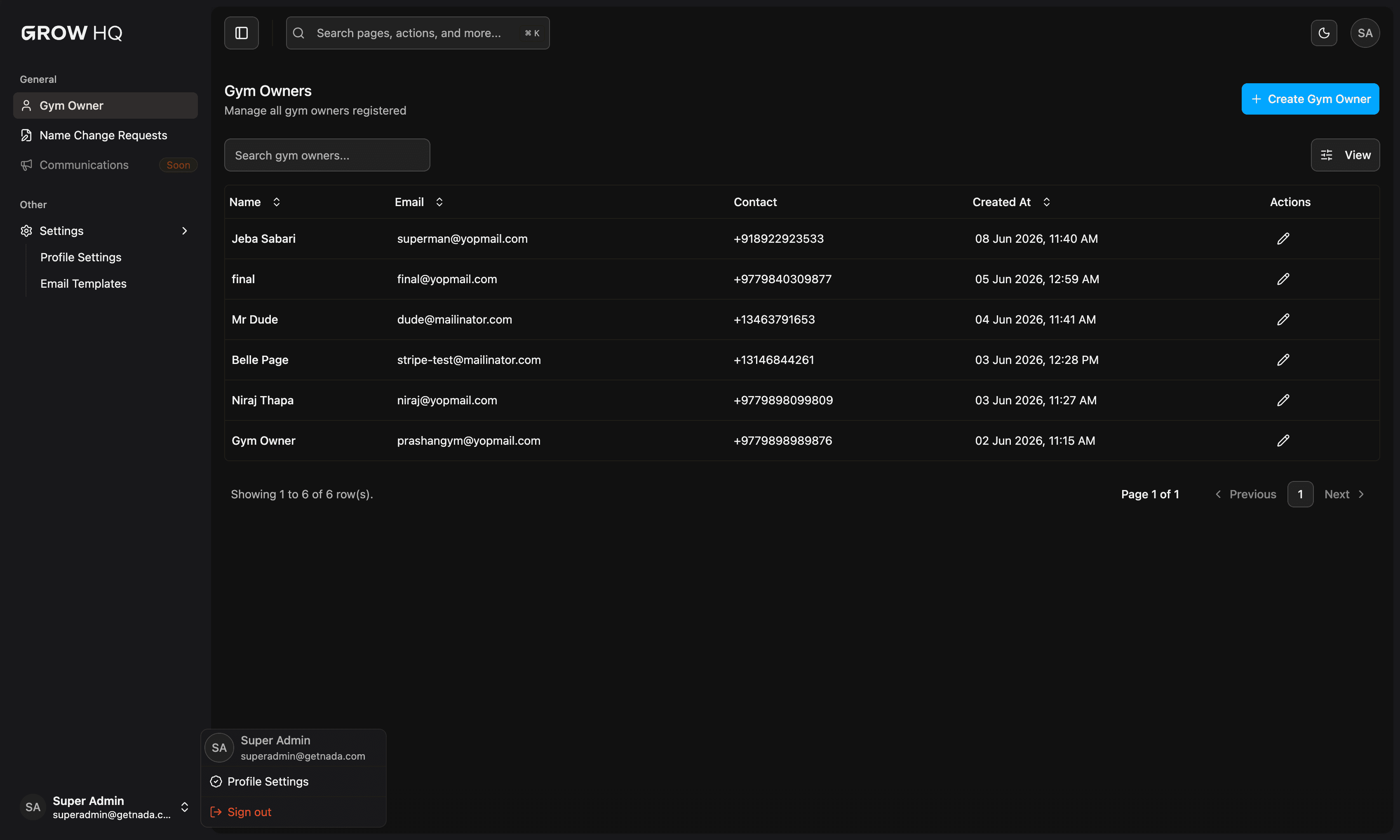
Superadmin console for gym owners, branch limits, name-change review, broadcasts, and email templates.
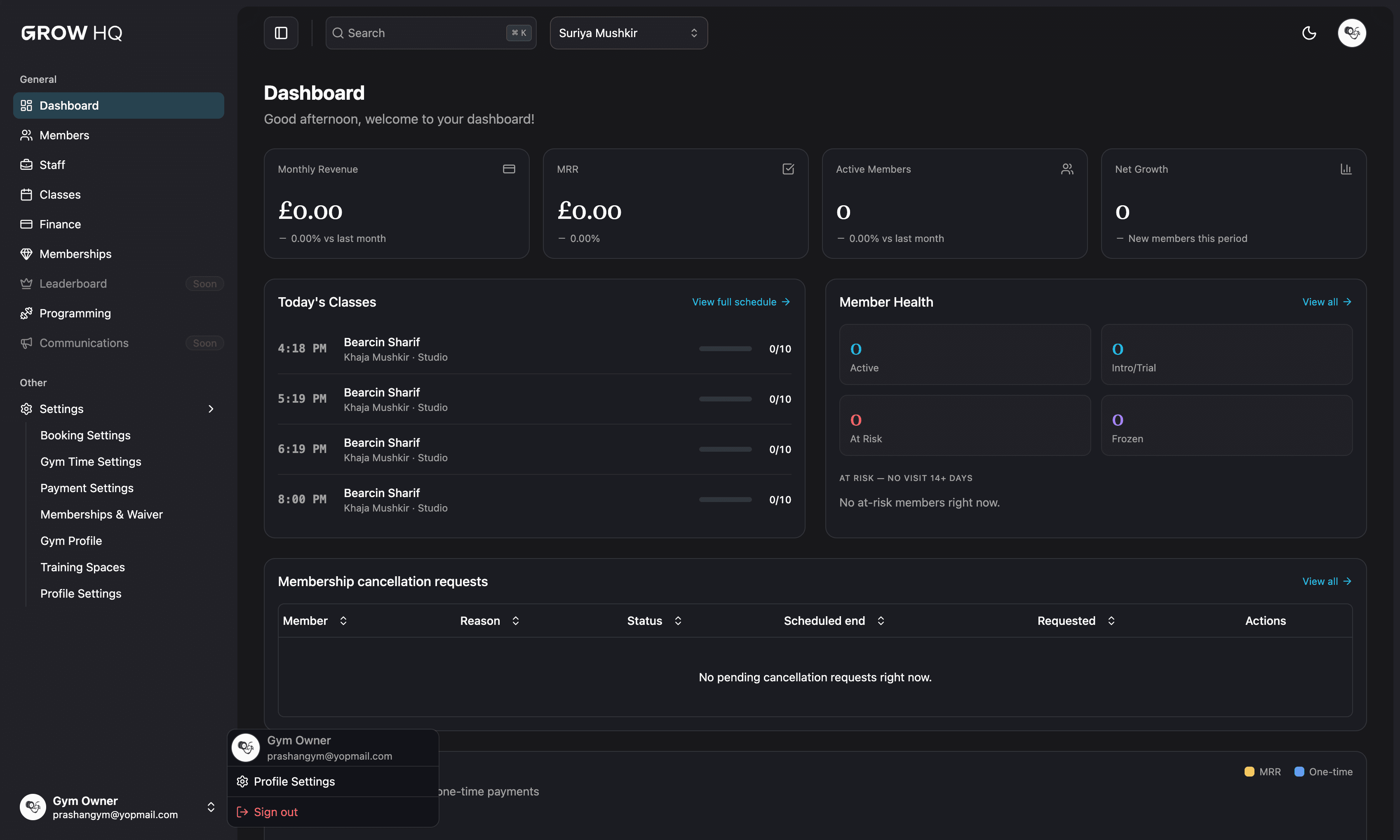
Grow HQ gym-owner dashboard — branch-wise operations, classes, members, and finance overview.
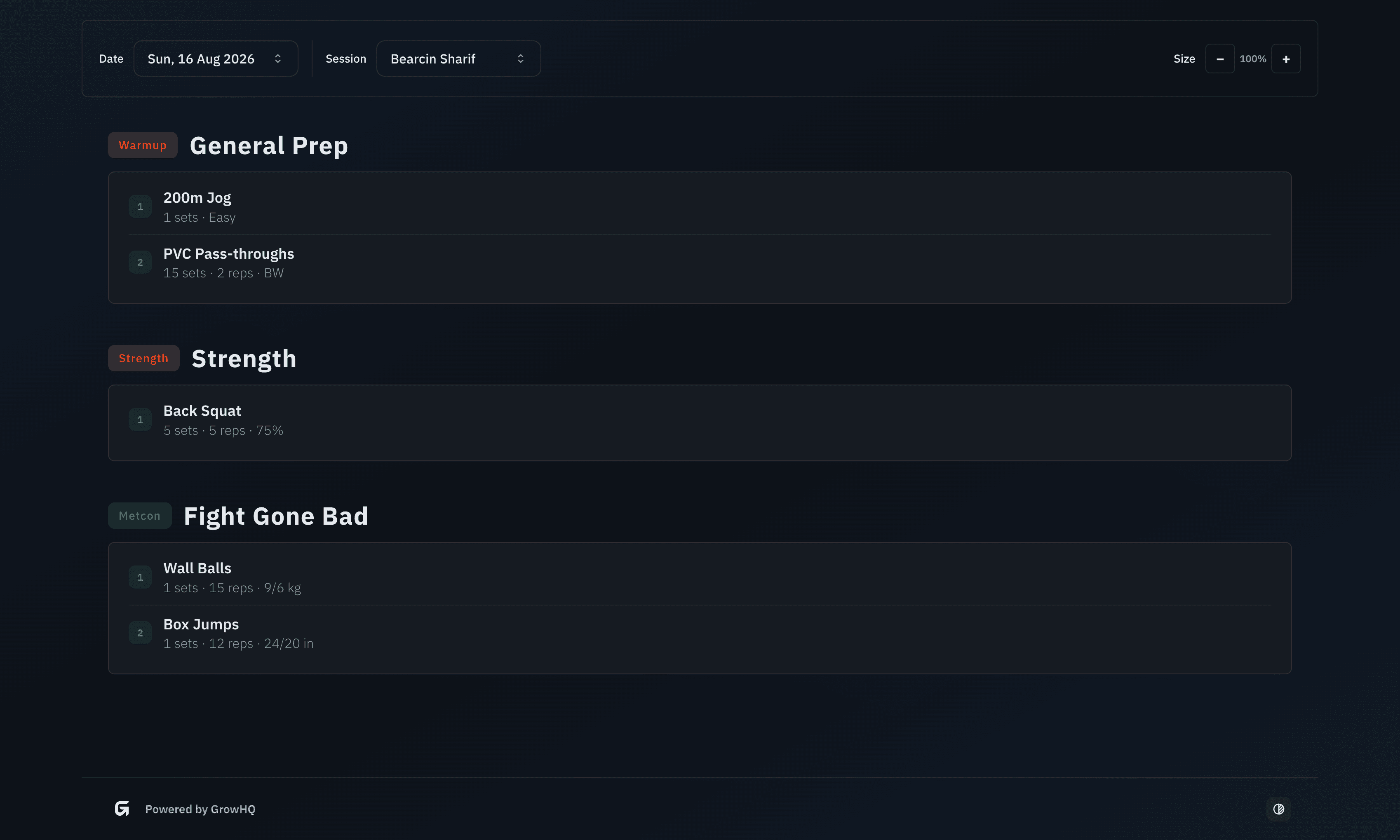
TV programming portal unlocked by gym ID, with date and class filters for gym-floor screens.
Contribution and what I learned
GymGrow is the largest product I shipped at Plex Bit — three connected apps covering platform administration, branch-level gym operations, and wall-ready programming displays for the gym floor.
More product work is on all software projects and the Plex Bit Infosystems role. Featured work is also previewed on Diwash Bhattarai's homepage.